
Short Read · 2 min read
How much RAM and storage do you really need?
A simple guide to PC memory and SSD storage: how much RAM you need for gaming and work, NVMe vs SATA, and how much space to plan for.
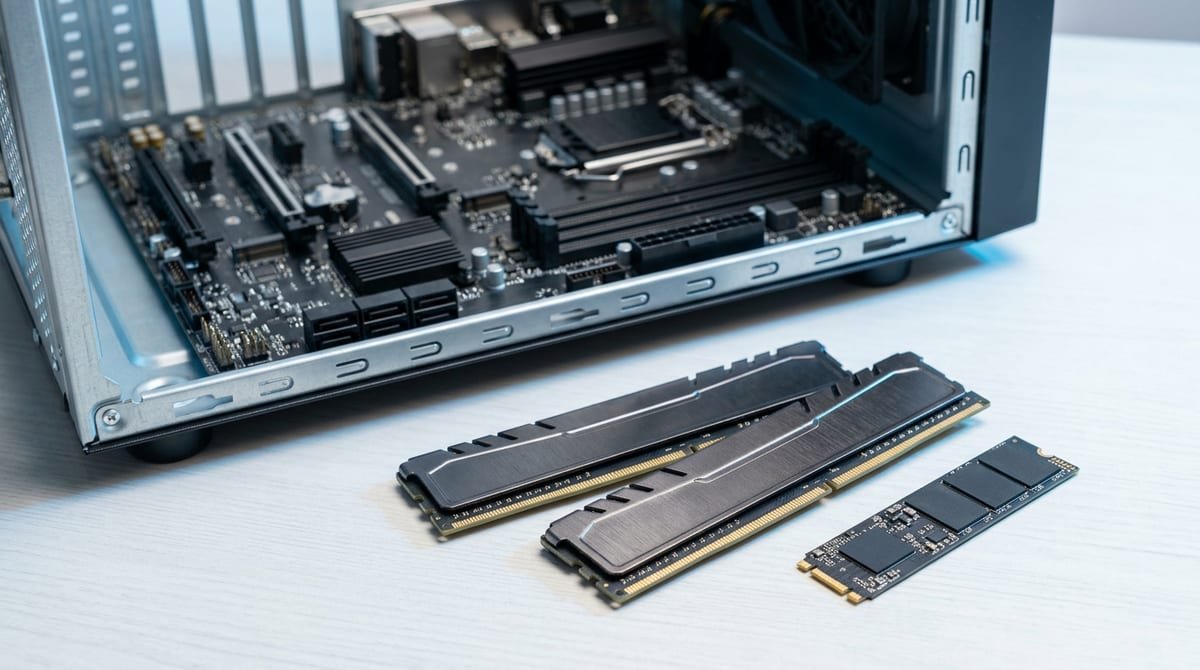
Memory (RAM) and storage are easy to confuse, but they do different jobs. Getting both right makes a PC feel fast every day.
RAM: your PC’s workspace
RAM is short-term memory. It holds the apps, browser tabs and game data you are using right now. When you run out, the PC starts using the much slower SSD instead, and everything stutters.
How much RAM do you need?
- 8 GB – only for very light use. Not recommended for a new PC.
- 16 GB – fine for everyday use, office work and many games.
- 32 GB – the sweet spot for gaming today, plus streaming, photo and video editing.
- 64 GB or more – for heavy 4K and 8K editing, large 3D scenes, virtual machines, big data and AI work.
Two tips for RAM
- Use two matching sticks (for example 2 × 16 GB) rather than one. Running in pairs, called dual channel, is noticeably faster.
- Leave free slots or choose sticks that make upgrading easy later.
Storage: where everything lives
Storage keeps your files, apps and games when the PC is off. There are three common types:
- NVMe SSD – a small stick that plugs straight into the motherboard. The fastest choice for Windows, apps and games.
- SATA SSD – slower than NVMe but still much faster than a hard drive. Fine for extra game or file space.
- Hard drive (HDD) – slow but cheap per terabyte. Good only for backups and large archives.
How much storage do you need?
- Office and study: 500 GB to 1 TB is usually enough.
- Gaming: at least 1 TB, ideally 2 TB. Many modern games take 100 GB or more each.
- Video editing and 3D: 2 TB or more, often with a second drive for projects and cache files.
Try to keep around 15–20% of an SSD free. A full drive slows down.
Don’t forget backups
An SSD can fail, like any part. Keep important work on an external drive or a cloud service as well, so one problem never costs you your files.
The quick answer
For most people buying a new PC today: 32 GB of RAM in two sticks and a 1–2 TB NVMe SSD.
Want to know how to balance this with the rest of the PC? Read our PC budget guide, or tell us your use and we will size it for you.
Written by the NerdBox.ae team, who recommend PC configurations for customers across the UAE and support them after delivery. How we write our guides